QR (Quick Response) codes
A QR or Quick Response code is a two-dimensional barcode. These are often used for adding web links to a printed page. When you scan such a QR bar code using a web cam or mobile phone camera, the QR reader application takes you to a Web site, a YouTube video or some other web content. QR codes are an easy way of sending people to a site without having to type a URL. Below is the QR code for http://www.prepressure.com.

QR code for Prepressure.com
Next to being used for linking to share links, QR codes can contain other types of information:
- A QR code on a business card can contain an electronic version of the contact information. Scan the code and the reader application adds the contact to your address list.
- A QR code can contain event information. Scan the code on a poster for a concert and the app automatically adds its name, date and location to the agenda on your smartphone or PC.
- A QR code can contain an SMS with phone number and text. Scan the code and the scanning app lets you automatically participate in some contest to win fabulous prices.
- A QR code can contain an e-mail message with a subject and message text. That message can be a request for information so that in return you might get a reply email with additional information and attached files.
- A QR code can contain a geographical location. Scan the code on a poster advertising for a restaurant and its location becomes available to your navigation software, informing you how to get to that place.
- A QR code can contain WIFI configuration data. Scan the code and your Android device automatically configures itself to use the wireless access at the hotel.
There are still more ways in which QRcodes can be used. The above list only summarizes the main applications. You can see examples of the creative use of quick response codes on this page. Originally this technology was created for tracking parts in manufacturing processes. In the printing industry there is finishing equipment that uses such 2d bar codes.
Description of Quick Response bar codes
The Japanese corporation Denso-Wave created the QR matrix code in 1994. It is an open standard for which no license fee has to be paid. The physical encoding of QR codes is nowadays in the hands of various standards bodies, including JIS and ISO (e.g. the ISO/IEC 18004:2006 standard). The standard for encoding URLs was established by NTT docomo, the Japanese telecom company.
QR codes contain information in both the horizontal and vertical axis. Compared to ‘regular’ barcodes, this allows for much larger amounts of raw data to be embedded. These can be numeric, alphanumeric or binary data – of which up to 2953 bytes can be stored. Only a part of each QR bar code contains actual data, including error correction information. Below you see the above QR code with the URL data stripped away. As you can see quite a large area of the bar code is used for defining the data format and version as well as for positioning, alignment and timing purposes.

Positioning, alignment,... data in a QR code
The more data need to be embedded, the larger the barcode becomes. Below is the QR code for this page. Since the URL is longer than that of the home page, the bar code has also grown. The barcode after it doesn’t contain a URL but the first 5 sentences of this page.
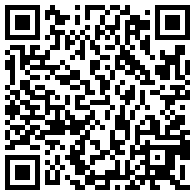
QR barcode pointing to this page
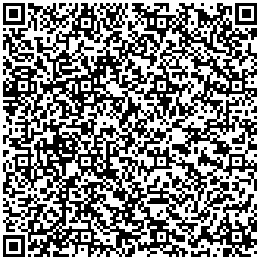
QR barcode with five lines of text in it
The smallest square dot or pixel element of a QR code is called a module. Like with other types of bar codes, it is recommended to have an empty area around the graphic, which makes it easier for devices to read the bar code. This quiet area is ideally 4 modules wide.
The minimum dimensions of a QR code depend upon the resolving power of the cameras that are used to scan the code. According to a Kaywa white paper, it is recommended to use a minimum size of 32 × 32 mm or 1.25 × 1.25 inches, excluding quiet zone, for QR codes that contain a URL. This guarantees that all camera phones on the market can properly read the bar code. Changing the size to a width and height of 26 × 26 mm or roughly 1 square inch still covers 90% of the phones on the market. The latest camera models, which have improved macro capabilities, can however already deal with QR codes that are less than 10 mm (0.4″) wide and high.
The above rule applies to perfectly printed codes that the user has direct access to. Things change when using QR codes on a poster or billboard. The general consensus is that there is a direct relationship between the physical dimensions of a QR code and its scanning distance. That ratio is around 1/10, so if the reader is 50 centimeters removed from the code, the size of the QR code should be at least 5 centimeters. For a billboard viewable from 10 meters, the height of the code should be at least 1 meter.
For good reader accuracy good contrast between the background and the bar color itself is very important. The bar code should have a dark color on a light background. You cannot go wrong by treating the QR code as line art, using black on white. If the background needs to be in color, make sure that it is a solid color, not a screened tint. Avoid using cyan or magenta but a 100% yellow background should work fine. Very light Pantone colors might also work, as long as the contrast with the bar code is high enough.
How to read a QR code
To read a a hardlink or physical world hyperlink, a smartphone or computer equipped with a web cam needs to have the correct reader software. It will interpret the scanned image and launch a browser to visit the programmed URL. Do a web search using the keywords “QR reader” and the make of your phone to find such applications.
Some interesting links:
- the Kaywa reader
How to generate or create a QR code
There are a number of stand-alone bar code generators on the market. I don’t have an experience with such applications and cannot recommend any software. I have read good things about Barcode Studio from Tec IT, which is available for both OS X and Windows.
There are also web services that can generate a QR code. I used the Kaywa site to create the above examples.
Alternatives
A Microsoft Tag is a 2D barcode whose intended use is similar to that of QR codes. In comparison Tag barcodes can be much smaller than QR ones because they use different symbol shapes in geometric patterns and multiple colors or tints to embed more information in less space. Microsoft refer to this as a High Capacity Color Barcode (HCCB). A major difference with QR codes is that Microsoft Tags don’t actually store the information. All the barcode contains is a unique ID which the reader application needs to send to Microsoft’s servers. They will then send back all the linked information. This way more information or a wider variety of data can be included. The disadvantages are that the reader application needs to be online and there may also be privacy concerns with this server-based approach. Given their small size and the use of color (which admittedly isn’t mandatory) my guess is that Microsoft Tags are more difficult to print in offset.
Two other alternatives to QR codes are SpyderLynk SnapTag and JagTag.
Some argue that alternative technologies will reduce the usefulness and adoption rate of QR codes. Among the competing technologies are:
- image recognition tools like Google Goggles. With such an app taking a picture of a box of cereals can take you to the web site for that product.
- embedded NFC chips.
Additional sources of information
QRworld is an interesting blog.
