Monday, February 23, 2015

QR (Quick Response) codes - is a two-dimensional barcode

QR (Quick Response) codes

A QR or Quick Response code is a two-dimensional barcode. These are often used for adding web links to a printed page. When you scan such a QR bar code using a web cam or mobile phone camera, the QR reader application takes you to a Web site, a YouTube video or some other web content. QR codes are an easy way of sending people to a site without having to type a URL. Below is  the QR code for http://www.prepressure.com.
QR code for Prepressure.com
Next to being used for linking to share links, QR codes can contain other types of information:
  • A QR code on a business card can contain an electronic version of the contact information. Scan the code and the reader application adds the contact to your address list.
  • A QR code can contain event information. Scan the code on a poster for a concert and the app automatically adds its name, date and location to the agenda on your smartphone or PC.
  • A QR code can contain an SMS with phone number and text. Scan the code and the scanning app lets you automatically participate in some contest to win fabulous prices.
  • A QR code can contain an e-mail message with a subject and message text. That message can be a request for information so that in return you might get a reply email with additional information and attached files.
  • A QR code can contain a geographical location. Scan the code on a poster advertising for a restaurant and its location becomes available to your navigation software, informing you how to get to that place.
  • A QR code can contain WIFI configuration data. Scan the code and your Android device automatically configures itself to use the wireless access at the hotel.
There are still more ways in which QRcodes can be used. The above list only summarizes the main applications. You can see examples of the creative use of quick response codes on this page. Originally this technology was created for tracking parts in manufacturing processes. In the printing industry there is finishing equipment that uses such 2d bar codes.

Description of Quick Response bar codes

The Japanese corporation Denso-Wave created the QR matrix code  in 1994. It is an open standard for which no license fee has to be paid. The physical encoding of QR codes is nowadays in the hands of various standards bodies, including JIS and ISO (e.g. the ISO/IEC 18004:2006 standard). The standard for encoding URLs was established by NTT docomo, the Japanese telecom company.
QR codes contain information in both the horizontal and vertical axis. Compared to ‘regular’ barcodes, this allows for much larger amounts of raw data to be embedded. These can be numeric, alphanumeric or binary data – of which up to 2953 bytes can be stored. Only a part of each QR bar code contains actual data, including error correction information. Below you see the above QR code with the URL data stripped away. As you can see quite a large area of the bar code is used for defining the data format and version as well as for positioning, alignment and timing purposes.
Positioning, alignment,... data in a QR code
The more data need to be embedded, the larger the barcode becomes. Below is the QR code for this page. Since the URL is longer than that of the home page, the bar code has also grown. The barcode after it doesn’t contain a URL but the first 5 sentences of this page.
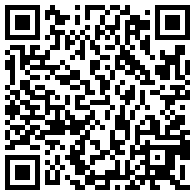
QR barcode pointing to this page
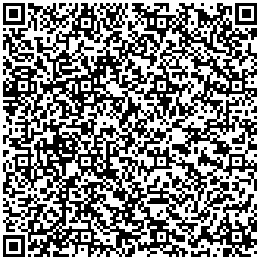
QR barcode with two lines of text in it
QR barcode with five lines of text in it
The smallest square dot or pixel element of a QR code is called a module. Like with other types of bar codes, it is recommended to have an empty area around the graphic, which makes it easier for devices to read the bar code. This quiet area is ideally 4 modules wide.
The minimum dimensions of a QR code depend upon the resolving power of the cameras that are used to scan the code. According to a Kaywa white paper, it is recommended to use a minimum size of 32 × 32 mm or 1.25 × 1.25 inches, excluding quiet zone, for QR codes that contain a URL. This guarantees that all camera phones on the market can properly read the bar code. Changing the size to a width and height of 26 × 26 mm or roughly 1 square inch still covers 90% of the phones on the market. The latest camera models, which have improved macro capabilities, can however already deal with QR codes that are less than 10 mm (0.4″) wide and high.
The above rule applies to perfectly printed codes that the user has direct access to. Things change when using QR codes on a poster or billboard. The general consensus is that there is a direct relationship between the physical dimensions of a QR code and its scanning distance. That ratio is around 1/10, so if the reader is 50 centimeters removed from the code, the size of the QR code should be at least 5 centimeters. For a billboard viewable from 10 meters, the height of the code should be at least 1 meter.
For good reader accuracy good contrast between the background and the bar color itself is very important. The bar code should have a dark color on a light background. You cannot go wrong by treating the QR code as line art, using black on white. If the background needs to be in color, make sure that it is a solid color, not a screened tint. Avoid using cyan or magenta but a 100% yellow background should work fine. Very light Pantone colors might also work, as long as the contrast with the bar code is high enough.

How to read a QR code

To read a a hardlink or physical world hyperlink, a smartphone or computer equipped with a web cam needs to have the correct reader software. It will interpret the scanned image and launch a browser to visit the programmed URL. Do a web search using the keywords “QR reader” and the make of your phone to find such applications.
Some interesting links:

How to generate or create a QR code

There are a number of stand-alone bar code generators on the market. I don’t have an experience with such applications and cannot recommend any software. I have read good things about Barcode Studio from Tec IT, which is available for both OS X and Windows.
There are also web services that can generate a QR code. I used the Kaywa site to create the above examples.

Alternatives

Microsoft Tag is a 2D barcode whose intended use is similar to that of QR codes. In comparison Tag barcodes can be much smaller than QR ones because they use different symbol shapes in geometric patterns and multiple colors or tints to embed more information in less space. Microsoft refer to this as a High Capacity Color Barcode (HCCB). A major difference with QR codes is that Microsoft Tags don’t actually store the information. All the barcode contains is a unique ID which the reader application needs to send to Microsoft’s servers. They will then send back all the linked information. This way more information or a wider variety of data can be included. The disadvantages are that the reader application needs to be online and there may also be privacy concerns with this server-based approach. Given their small size and the use of color (which admittedly isn’t mandatory) my guess is that Microsoft Tags are more difficult to print in offset.
Two other alternatives to QR codes are SpyderLynk SnapTag and JagTag.
Some argue that alternative technologies will reduce the usefulness and adoption rate of QR codes. Among the competing technologies are:
  • image recognition tools like Google Goggles. With such an app taking a picture of a box of cereals can take you to the web site for that product.
  • embedded NFC chips.

Additional sources of information

QRworld is an interesting blog.

PostScript - is a page description language, a protocol that is used to communicate between applications

PostScript

PostScript is a page description language, a protocol that is used to communicate between applications like Adobe InDesign, QuarkXPress or MS Word and output devices like laser printers or CtP systems, that are equipped with a PostScript interpreter. PostScript can also be used to exchange data between applications themselves and it forms the basis of the PDF file format.
Emblem put on devices that use the PostScript page description languageThis section of the site gives a basic overview of what PostScript is. The text and examples are geared towards the printing and graphic arts industry.

PostScript basics

These pages cover the essentials of the PostScript language, including a fairly elaborate description of its history.

Rendering PostScript

A description of what a page is supposed to look like is irrelevant if you can’t actually turn it into something physical, such as a printed sheet of paper or a printing plate. This article explains how PostScript is interpreted and output. The diagram below gives a basic overview: PostScript data are generated from a layout application when the operator wants to print a job. The data can be sent directly to device with a built-in interpreter, such as a inkjet printer, or the data can be sent to a dedicated RIP that interprets the data for one or more devices such as a platesetter or an imposition proofer.
Data flow from a layout application to a printer, proofer or platesetter

PostScript errors

Learn more about PostScript errors on this page or dive into the database of known errors. If your problem is not listed, try these work-arounds.

Links, products & stuff

Here are some other sites and resources that deal with PostScript (or graphic arts and prepress in general).

PostScript related sites

It seems logical that Adobe is the best place to look for information about PostScript. After all they invented the stuff. The Adobe site is quite large so I picked just this little corner that has some PDF files about PostScript and PDF. The Adobe manual on PostScript, also known as the Red Book, is also available on-line.
Aandi from Quite Software seems to be all over the Internet, offering valuable information on several Usenet newsgroups as well as mailing lists. His website also contains useful stuff including a chapter about PostScript errors. Also check out their software, they make some pretty interesting plug-ins for Acrobat.
The Inkguides PostScript page is another excellent pointer to other sources of information.
Brian Huebert maintains an excellent jumplist that also deals with web design atwww.adigitaldreamer.com/ . Highly recommended!

PostScript RIPs

When problems occur, it is nice to get a second opinion. So it can be practical to have another RIP available in case of postscript errors: just send your problem file to the other RIP and if the problem reoccurs, at least your imagesetter RIP or printer is not to blame.
Adobe Acrobat is a must have for every prepress professional. Acrobat Professional is a suite of programs which includes an application called Distiller. Distiller really is a RIP so you can send your troublesome page to Distiller and double check whether it can handle your file. If this is the case, Distiller will convert the PostScript data into a PDF-file. This is still kind of a PostScript file but structured in a different, more robust format. This PDF can then be opened in Acrobat to preview the content on screen. You can also make small corrections to the file and either print it or export it back to PostScript.
Ghostscript is a freeware PostScript RIP. It can RIP to screen, to a TIFF file or convert the file to another format like an EPS-file. It is available for Mac, PC and Unix. I haven’t tried the Unix version but the PC version is faster and more reliable that its Macintosh counterpart.

WYSIWYG PostScript editors

There are several programs on the market that allow you to view the content of a PostScript file on-screen and make modifications to it. Here are some of them:
Maybe you haven’t realized that you probably already own a WYSIWYG editor: Adobe Acrobat. Enhanced by some of the available plug-ins, it is a very powerful yet cost effective tool to manipulate PostScript files. Jump to the PDF section of my site to learn more about it.
OneVision, a German company, has a wide range of products for handling both PostScript and PDF files.

PostScript text editors

PostScript files are ASCII-files, meaning you can open them in an editor or word processor and have a look at the code. It is far beyond me to try and do major modifications in a PostScript. But for some problems it is useful to just take a look at the code and delete or add a bit. There are hundreds of editors on the market so I’ll just list my favourite two:
BBedit is a popular editor for Macintosh. There is a free version of it called TextWrangler which you can download from the same site.
Textpad is shareware, it is pretty cheap but don’t let this fool you. This a a great editor that runs on various flavors of Windows. I was pretty impressed by the speed as well when I started using its ‘find and replace’ option on a 280 MB PostScript file. Nowadays I have replaced this program by NotePad++, equally powerful but freeware.

PostScript downloaders

Nowadays PostScript downloaders have largely become irrelevant. Most RIPs either have a manual upload mode in one of their menus or you can upload files by dropping them in a hotfolder. Back in the Mac OS 7/8/9 days my all time favorite PostScript downloader on Macintosh was LaserStatus. It is part of a series of utilities called ‘Mockpackage’.

Newsletters

It took some time to find an actual PostScript related newsletter but I finally found one and it is great: the Acumen newsletter which also covers PDF.

Newsgroups & forums

The newsgroup on PostScript is ideal if your PostScript error is not covered by my database. This list doesn’t delve too deep into PostScript programming itself.

Books

Thinking in PostScriptThis book gets mentioned first, not because it really stands out (although it is an excellent introduction to PostScript) but because you can download it for free (for Macintosh at least). Once this publication went out of print, its author Glenn Reid had the great idea to put it on the net as a PDF document.
PostScript Language Reference ManualPDF is based on PostScript so it is impossible to ignore the famous Red Book. This huge volume contains everything you want to know about PostScript and more. It is written with the programmer in mind but can be useful for learning about PostScript or getting to know what the command that is causing that awful PostScript error actually does. A PDF version of this book can be downloaded from the Adobe web site but you can still buy the printed version.
PostScript & Acrobat BibleThis excellent book by Thomas Merz is no longer available. If you’re a PostScript die-hard you may still be able to buy a second hand version.

Raid - is a technology that is used to increase the performance and/or reliability of data storage.

RAID

RAID is a technology that is used to increase the performance and/or reliability of data storage. The abbreviation stands for Redundant Array of Inexpensive Disks. A RAID system consists of two or more drives working in parallel. These disks can be hard discs but there is a trend to also use the technology for SSD (solid state drives). There are different RAID levels, each optimized for a specific situation. These are not standardized by an industry group or standardisation committee. This explains why companies sometimes come up with their own unique numbers and implementations. This article covers the following RAID levels:
  • RAID 0 – striping
  • RAID 1 – mirroring
  • RAID 5 – striping with parity
  • RAID 6 – striping with double parity
  • RAID 10 – combining mirroring and striping
The software to perform the RAID-functionality and control the drives can either be located on a separate controller card (a hardware RAID controller) or it can simply be a driver. Some versions of Windows, such as Windows Server 2012 as well as Mac OS X, include software RAID functionality. Hardware RAID controllers cost more than pure software but they also offer better performance.
RAID-systems can be based with an number of interfaces, including SCSI, IDE, SATA or FC (fibre channel.) There are systems that use SATA disks internally but that have a FireWire or SCSI-interface for the host system.
Sometimes disks in a storage system are defined as JBOD, which stands for ‘Just a Bunch Of Disks’. This means that those disks do not use a specific RAID level and acts as stand-alone disks. This is often done for drives that contain swap files or spooling data.
Below is an overview of the most popular RAID levels:

RAID level 0 – Striping

In a RAID 0 system data are split up in blocks that get written across all the drives in the array. By using multiple disks (at least 2) at the same time, this offers superior I/O performance. This performance can be enhanced further by using multiple controllers, ideally one controller per disk.
Disk storage using RAID 0 striping

Advantages

  • RAID 0 offers great performance, both in read and write operations. There is no overhead caused by parity controls.
  • All storage capacity is used, there is no overhead.
  • The technology is easy to implement.

Disadvantages

  • RAID 0 is not fault-tolerant. If one drive fails, all data in the RAID 0 array are lost. It should not be used for mission-critical systems.

Ideal use

RAID 0 is ideal for non-critical storage of data that have to be read/written at a high speed, such as on a image retouching or video editing station.
If you want to use RAID 0 purely to combine the storage capacity of twee drives in a single volume, consider mounting one drive in the folder path of the other drive. This is supported in Linux, OS X as well as Windows and has the advantage that a single drive failure has no impact on the data of the second disk or SSD drive.

RAID level 1 – Mirroring

Data are stored twice by writing them to both the data drive (or set of data drives) and a mirror drive (or set of drives) . If a drive fails, the controller uses either the data drive or the mirror drive for data recovery and continues operation. You need at least 2 drives for a RAID 1 array.
Disk storage using RAID 0 striping

Advantages

  • RAID 1 offers excellent read speed and a write-speed that is comparable to that of a single drive.
  • In case a drive fails, data do not have to be rebuild, they just have to be copied to the replacement drive.
  • RAID 1 is a very simple technology.

Disadvantages

  • The main disadvantage is that the effective storage capacity is only half of the total drive capacity because all data get written twice.
  • Software RAID 1 solutions do not always allow a hot swap of a failed drive (meaning it cannot be replaced while the server keeps running). Ideally a hardware controller is used.

Ideal use

RAID-1 is ideal for mission critical storage, for instance for accounting systems. It is also suitable for small servers in which only two data drives will be used.

RAID level 5

RAID 5 is the most common secure RAID level. It requires at least 3 drives but can work with up to 16. Data blocks are striped across the drives and on one drive a parity check sum of all the block data is written. The parity data are not written to a fixed drive, they are spread across all drives, as the drawing below shows. Using the parity data, the computer can recalculate the data of one of the other data blocks, should those data no longer be available. That means a RAID 5 array can withstand a single drive failure without losing data or access to data. Although RAID 5 can be achieved in software, a hardware controller is recommended. Often extra cache memory is used on these controllers to improve the write performance.
Disk storage using RAID 5 striping with parity across drives

Advantages

  • Read data transactions are very fast while write data transactions are somewhat slower (due to the parity that has to be calculated).
  • If a drive fails, you still have access to all data, even while the failed drive is being replaced and the storage controller rebuilds the data on the new drive.

Disadvantages

  • Drive failures have an effect on throughput, although this is still acceptable.
  • This is complex technology. If one of the disks in an array using 4TB disks fails and is replaced, restoring the data (the rebuild time) may take a day or longer, depending on the load on the array and the speed of the controller. If another disk goes bad during that time, data are lost forever.

Ideal use

RAID 5 is a good all-round system that combines efficient storage with excellent security and decent performance. It is ideal for file and application servers that have a limited number of data drives.

RAID level 6 – Striping with double parity

RAID 6 is like RAID 5 but it writes the parity data to two drives. That means it requires at least 4 drives and can withstand 2 drives dying simultaneously. The chances that two drives break down at exactly the same moment are of course very small. However, if a drive in a RAID 5 systems dies and is replaced by a new drive, it takes hours to rebuild the swapped drive. If another drive dies during that time, you still lose all of your data. With RAID 6, the RAID array will even survive that second failure.
Disk storage using RAID 6 stripingwith double parity across drives

Advantages

  • Like with RAID 5, read data transactions are very fast.
  • If two drives fail, you still have access to all data, even while the failed drives are being replaced. So RAID 6 is more secure than RAID 5.

Disadvantages

  • Write data transactions are slowed down due to the parity that has to be calculated.
  • Drive failures have an effect on throughput, although this is still acceptable.
  • This is complex technology. Rebuilding an array in which one drive failed can take a long time.

Ideal use

RAID 6 is a good all-round system that combines efficient storage with excellent security and decent performance. It is preferable over RAID 5 in file and application servers that use many large drives for data storage.

RAID level 10 – combining RAID 1 & RAID 0

It is possible to combine the advantages (and disadvantages) of RAID 0 and RAID 1 in one single system. This is a nested or hybrid RAID configuration. It provides security by mirroring all data on secondary drives while using striping across each set of drives to speed up data transfers.
Disk storage using RAID 1 + 0, combining spriping with mirroring

Advantages

  • If something goes wrong with one of the disks in a RAID 10 configuration, the rebuild time is very fast since all that is needed is copying all the data from the surviving mirror to a new drive. This can take as little as 30 minutes for drives of  1 TB.

Disadvantages

  • Half of the storage capacity goes to mirroring, so compared to large RAID 5  or RAID 6 arrays, this is an expensive way to have redundancy.

What about RAID levels 2, 3, 4 and 7?

These levels do exist but are not that common (RAID 3 is essentially like RAID 5 but with the parity data always written to the same drive). This is just a simple introduction to RAID-systems. You can find more in-depth information on the pages of wikipedia or ACNC.

RAID is no substitute for back-up!

All RAID levels except RAID 0 offer protection from a single drive failure. A RAID 6 system even survives 2 disks dying simultaneously. For complete security you do still need to back-up the data from a RAID system.
  • That back-up will come in handy if all drives fail simultaneously because of a power spike.
  • It is a safeguard when the storage system gets stolen.
  • Back-ups can be kept off-site at a different location. This can come in handy if a natural disaster or fire destroys your workplace.
  • The most important reason to back-up multiple generations of data is user error. If someone accidentally deletes some important data and this goes unnoticed for several hours, days or weeks, a good set of back-ups ensure you can still retrieve those files.
14 February 20